
JOHNSON CONTROLS
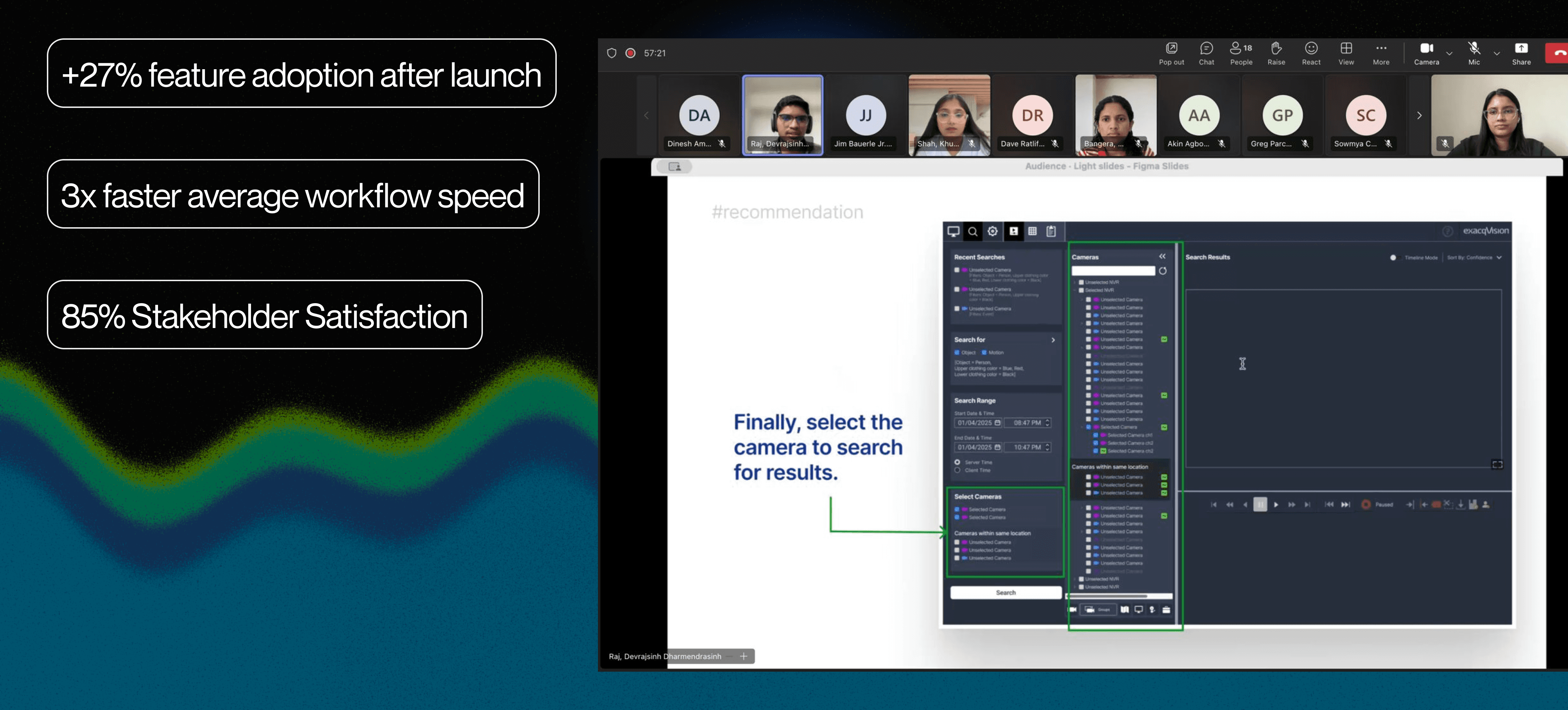
AI-assisted video investigation workflow for enterprise security: 3x task completion and +27% adoption
ROLE
UX Designer
TIMELINE
Mar 2025 - May 2025
3 months
TEAM
1 Product Manager
2 Engineers
3 UX/Product Designers (including me)
ABOUT
Exacqvision is a video management system that helps businesses to monitor, manage, and review security footage across diverse camera devices on their premises.
tools

What I focused on?
Benchmarked AI models against product goals, collaborating with engineers to evaluate performance tradeoffs.
Collaborated with PMs and engineers to translate AI capabilities into intuitive user-facing features.
Rapidly iterated wireframes and prototypes, incorporating feedback from users through early feedback.
CONTEXT
Evolving video surveillance workflow from manual effort to AI/ML - assisted retrieval for faster time-to-evidence.
Forensic Search feature in Exacqvision is a feature which helps security operators to search for specific events or instances within hours of recorded video footage. The current workflow relies heavily on manual scrubbing and basic motion detection, creating friction when speed and accuracy are critical.
This case study focuses on understanding and refining bottlenecks during searching evidence through ML features and improvements, bridging complex backend restructuring with an intuitive search workflow, and ensuring that intelligence translates into real operational efficiency.

PRoblem
Security operators need to move from incident to evidence footage quickly, but ExacqVision’s forensic search makes that process slow, tedious and manual.
Majority of users using this system are novice security operators, often new to the job and rarely trained on this part of the software. What should take minutes takes much longer and over time and if the issue persists, they might stop trusting the tool altogether.
Business Goal
How might we use AI to help users navigate the forensic search workflow with greater efficiency and trust?
ExacqVision has a clear edge: its edge architecture supports a wide range of camera brands, something cloud competitors can't match. But the landscape is shifting with competitors driving better standards in AI and ML filtering capabilities..
To compete with competitors and retain its position in the VMS market, Exacqvision needs to embrace AI advancements in forensic search workflows, setting the foundation for an intelligent search experience.
Discovery
Understanding where AI and ML capabilities meaningfully reduces friction in video investigation workflows
ExacqVision serves many novice VMS users and security operators who often face complex, time-intensive workflows. I sought discovery as a practical support layer that could utilize AI to help simplify difficult tasks, reduce cognitive load, and help users stay focused on decisions rather than interface complexity.
Benchmarking leading VMS platforms to identify how AI reduces friction in complex workflows
Defining the need for AI-based improvements
Interviewing customer-facing teams to map workflow moments where users feel overwhelmed and lose context and momentum during investigations
Early Concept Testing
Users were confused when a few AI-driven improvements worked without a clear understanding. This emphasized the need for visibility and transparency in AI behavior.
To deliver AI and ML driven improvements responsibly and feasibly, I worked closely with engineers and product managers focusing on validating what was technically possible within the existing VMS infrastructure, understanding the behavior of ML models powering object metadata, and ensuring the system remained trustworthy and simple for users.
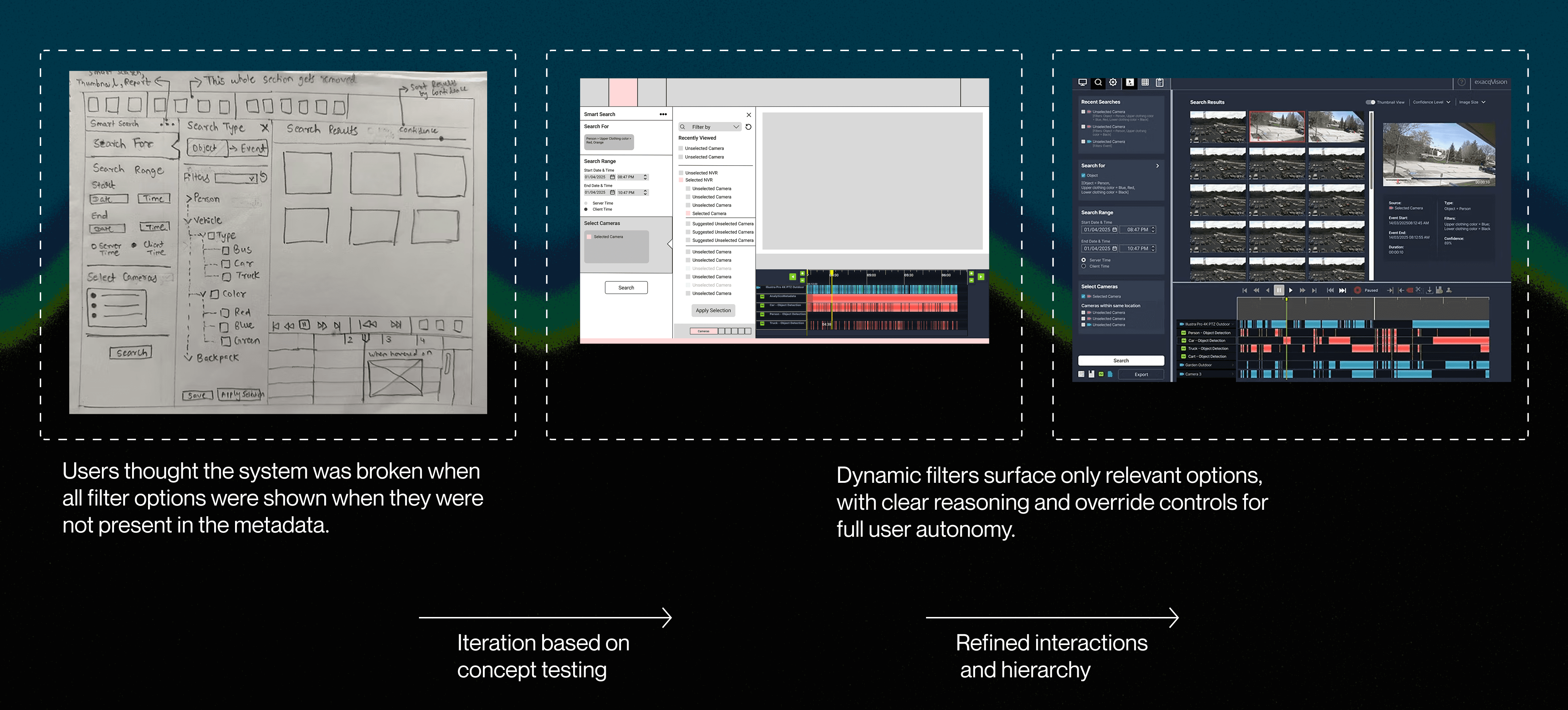
Solution (Design highlights)
AI is introduced not as a novelty, but as a practical augmentation layer, helping users focus on decisions, and stay agile by simplifying complex input tasks and improving system efficiency and intelligence.
Reimagined key parts of the forensic search workflow by integrating three targeted AI features and a few improvements in the workflow.
Design Decision #1
Make the system adaptive and context-aware, reducing cognitive load on the user
Design Decision #2
Design for the appropriate level of user autonomy to support decision making
Working With ENgineering
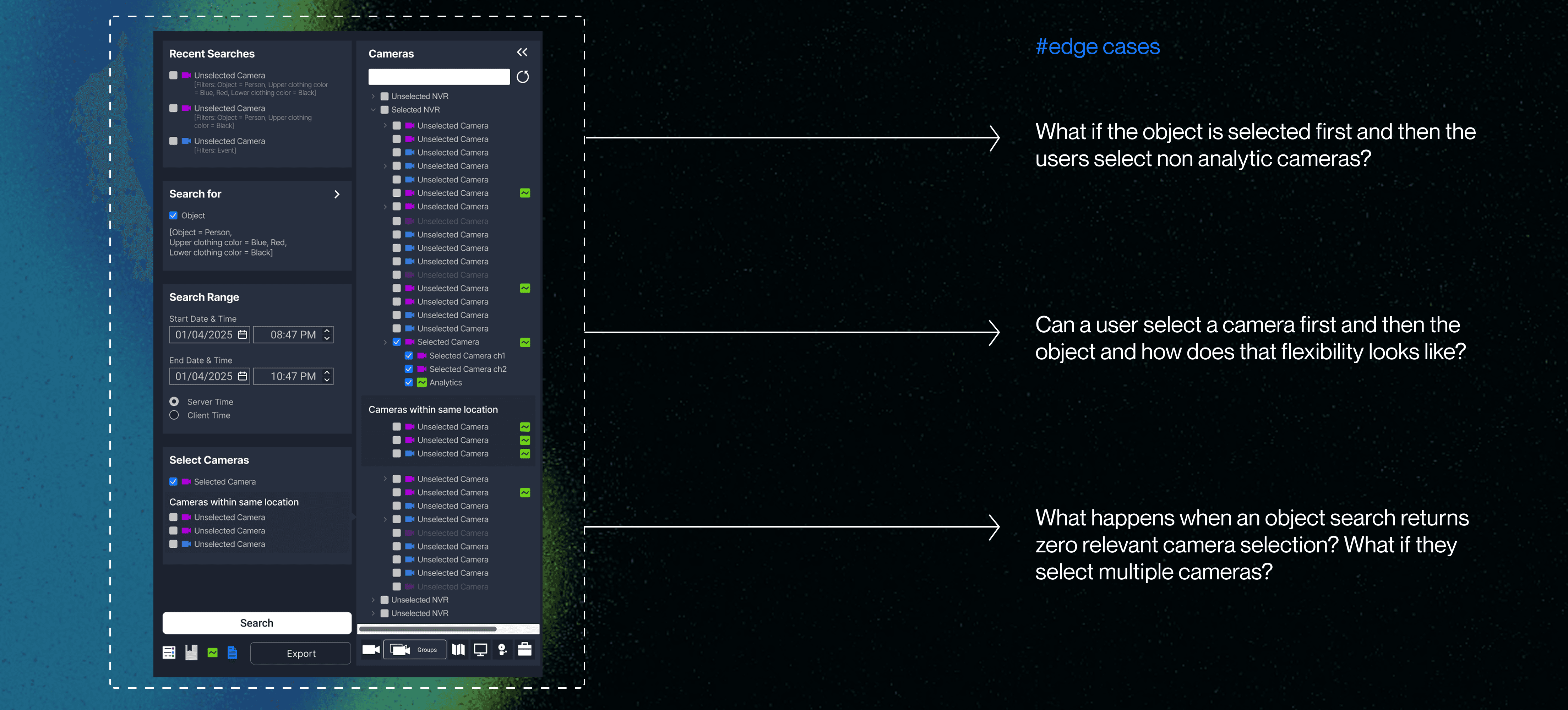
Thinking through edge cases for dynamic filters and camera selection features
Real-time rendering of hitboxes vs system performance load
Hitboxes were not being shown consistently. Engineers explained how hitboxes are embedded in object metadata and stored frame-by-frame.
Persistent object highlighting improved clarity but added rendering load. We collaborated with engineers to optimize performance without compromising visual guidance.
Testing and IMPACT
Iterative testing was conducted with 4 users and 13 stakeholders.
The solution was shipped at the end of Q2-2025.
REFLECTIOn
AI must reduce complexity, not add to it
Learned that integrating AI successfully means using it to simplify difficult decision points, not overwhelm users with “smart” features they can’t interpret or trust
User trust is built through transparency, control and autonomy
Confidence-based sorting and camera suggestions worked best when paired with clear explanations and user override options. Trust came from visibility, not automation alone.